
How to Search Cases by Name
A name search is a sensible start when the case number is unknown. It does not settle identity. Cobb portals can return several parties at once. Companies, attorneys, aliases, inactive parties, and older records all show up. Line up the court, case type, filing date, party role, and case number before trusting a result.
State Court CourtConnect accepts a last or company name. It also takes first and middle name, optional phonetic search, a filing-date range, and a criminal birth year. Magistrate Judicial Records Search has similar name and date fields. It adds a civil or criminal case-type filter. Superior lists Civil Search, Criminal Search, Dockets, and New Search in its public shell. Exact post-selection fields appear only in live use.
- Choose the likely court from the citation, case type, number pattern, filing office, or city that issued the matter.
- Enter the last or company name and first name, then add a middle name, date range, case type, or criminal birth year when available.
- Review every result’s case number, court, filing date, parties, and status before opening the docket.
- Separate Case Events, Case Dockets, documents, offenses, payment fields, and disposition fields in your notes.
- If no result appears, try the other plausible custodian or contact that court with the known case or citation details.
A name search can cross lines between State, Superior, Magistrate, and city courts. The Cobb County docket home maps all of them.
Cobb County State Case Search Fields
CourtConnect gives Cobb the most complete public case lookup for State Court. It first asks for Civil Cases or Criminal Cases. From there it takes names and phonetic search. It also takes a criminal birth year, filing dates, a case number, and a few citation or school-bus tag fields. Phonetic search, per the guide, covers first and last names. A school-bus citation may take an SB prefix or none at all.
Civil cases date from March 17, 1997 forward. Traffic and misdemeanor cases start April 26, 1999. Data refresh nightly, and retrieval stops at the first 5,000 results. Fill in more than one field where you can. The disclaimer bars bulk downloads and URL mining. It also keeps the official record with the State Court Clerk.
The Cobb State Court search form lays out the full field set on the county site.
| Search field | What it narrows | Research note |
|---|---|---|
| Case mode | Civil Cases or Criminal Cases. | A mode is required before the other fields are useful. |
| Name | Last or company, first, and middle name. | Phonetic search applies to first and last names. |
| Dates | Beginning and ending filing date. | A narrow range helps with the result limit. |
| Criminal birth year | Four-digit birth year in criminal mode. | Keep private values out of public notes. |
| Case or citation | Case number, citation number, or school-bus tag. | Use the format supplied by the court or citation. |
Use the official State Court Records Search page itself.
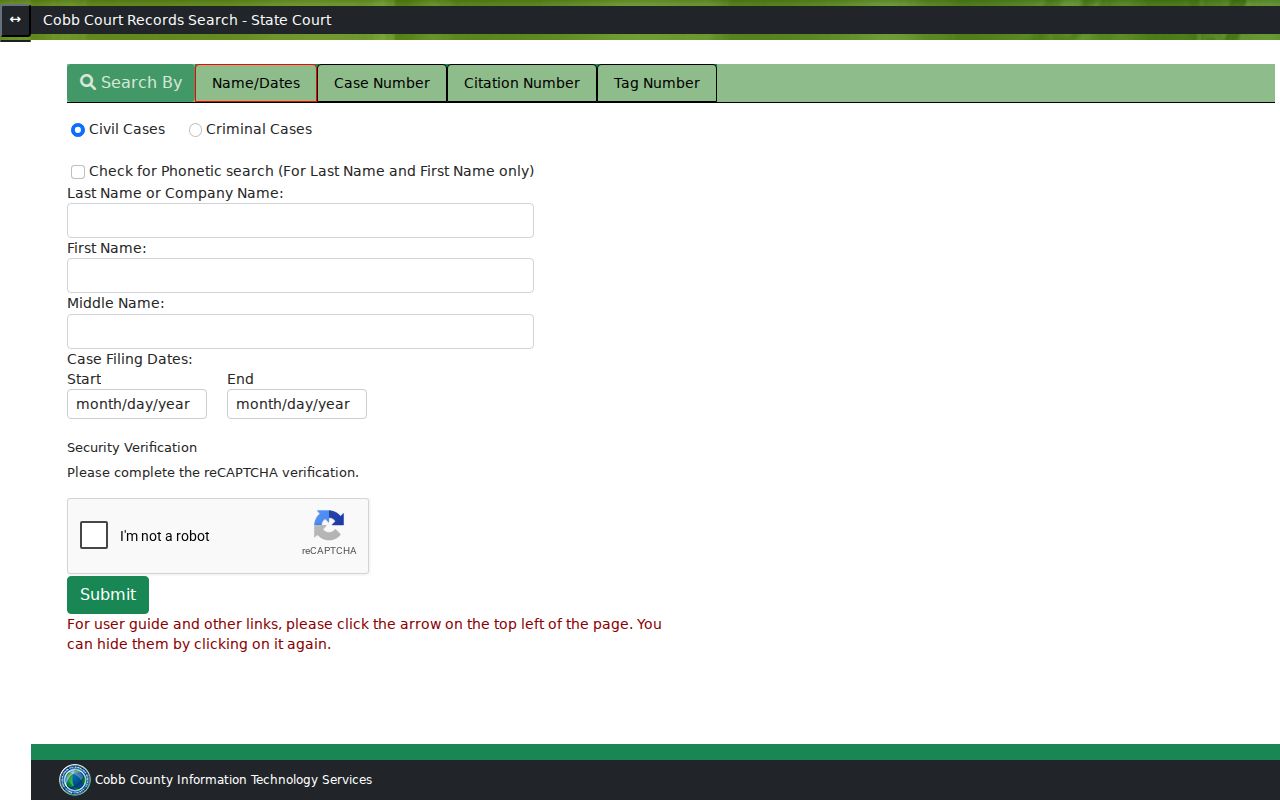
A CAPTCHA and separate search modes mark the public route. They do not prove the system reaches every Cobb court.
How to Search by Case Number
A case number is usually the cleanest lookup key because it avoids name collisions. State Court examples pair a year with a division or type letter and a sequence. An example is 24-A-12345. Enter the number exactly as the court displays it, hyphens included where the form expects them.
Superior civil guidance gives formats such as 17102331 and 17-1-2331. Calendar filenames and headings may add a year, court type, sequence, and judge initials. Treat those as routing clues. No universal decoder exists. Match the number to the court and filing date in the result.
Federal numbers look different. A Northern District of Georgia example is 1:26-cv-04546-VMC-LRS. It points to a federal civil case with assigned judicial initials. That number fails in CourtConnect, Superior Web Case Management, and any city vendor. A Magistrate warrant or civil number likewise belongs in the Magistrate search, not the State form.
If a transfer occurs, keep both numbers. A city matter can bind over to State Court, and a Magistrate warrant can transfer to Superior. The receiving number opens the next docket. The original number explains the earlier record.
Cobb County Magistrate Lookup Fields
Cobb's Magistrate Judicial Records Search is its own portal for Magistrate civil and criminal records. It offers Civil or Criminal mode and phonetic search. Fields also cover last or company name, first and middle name, a specific case type or All, a filing-date range, a case number, and a CAPTCHA. The first-5,000-results limit applies here too. Pick the matching case type when you know it. That matters for a small claim, dispossessory, garnishment, bad-check, or warrant search.
The official record stays at the Magistrate counter. The counter sits at 32 Waddell Street, Marietta, and the general number is 770-528-8900. The portal warns that displayed data may be incomplete or not current, and party addresses may be historical or current. Case-number search beats copying a broad name result.
| Mode | Civil or Criminal, with a specific case type or All. |
|---|---|
| Name | Last or company, first, and middle name, with optional phonetic search. |
| Filing range | Beginning and ending dates to narrow the result set. |
| Case number | The preferred key when the Magistrate number is known. |
| Record caution | Online display may not be complete or current; the Clerk’s file controls. |
Do not mistake the Magistrate search form for a State Court search. It is its own Cobb case lookup channel.
What a Case Search Shows
A single row in a case lookup can open a Case Details view with several layers of the court record. State Court fields may include the case ID, style, filing date, case type, status, related cases, balance, Case Events, parties, Case Dockets, offenses, and sentence fields. Documents may appear too. Magistrate records work differently. They can list service, hearing, answer, judgment, payment, FiFa, warrant, bond, and transfer entries. Treat the result as an index and docket view rather than a certified record.
Events track schedule and status activity. Docket entries record filings or administrative actions. Offense and sentence fields may hold disposition detail. A document link can reveal facts the row itself does not show. A missing image is not proof the filing never existed. Read the court's exact labels and note the retrieval date.
| Header | Case number, style, filing date, case type, status, related cases, and balance when present. |
|---|---|
| Events | Event, date and time, room, location, judge, and event status. |
| Parties | Sequence, association, name or type, aliases, role, expiration date, and address fields; do not publish private values. |
| Dockets | Description, filing or entry date and time, and document link when available. |
| Outcome fields | Offense disposition, sentence, judgment, payment, satisfaction, transfer, or related status. |
A Cobb County docket can list a case as "paid in full," "closed," "dismissed," "default," "transferred," "disposed," or "case complete," and none of these mean the same thing. When the legal result matters, rely on the official field and pull the order or certified copy rather than treating those labels as synonyms.
Cobb County eFlex Case Access
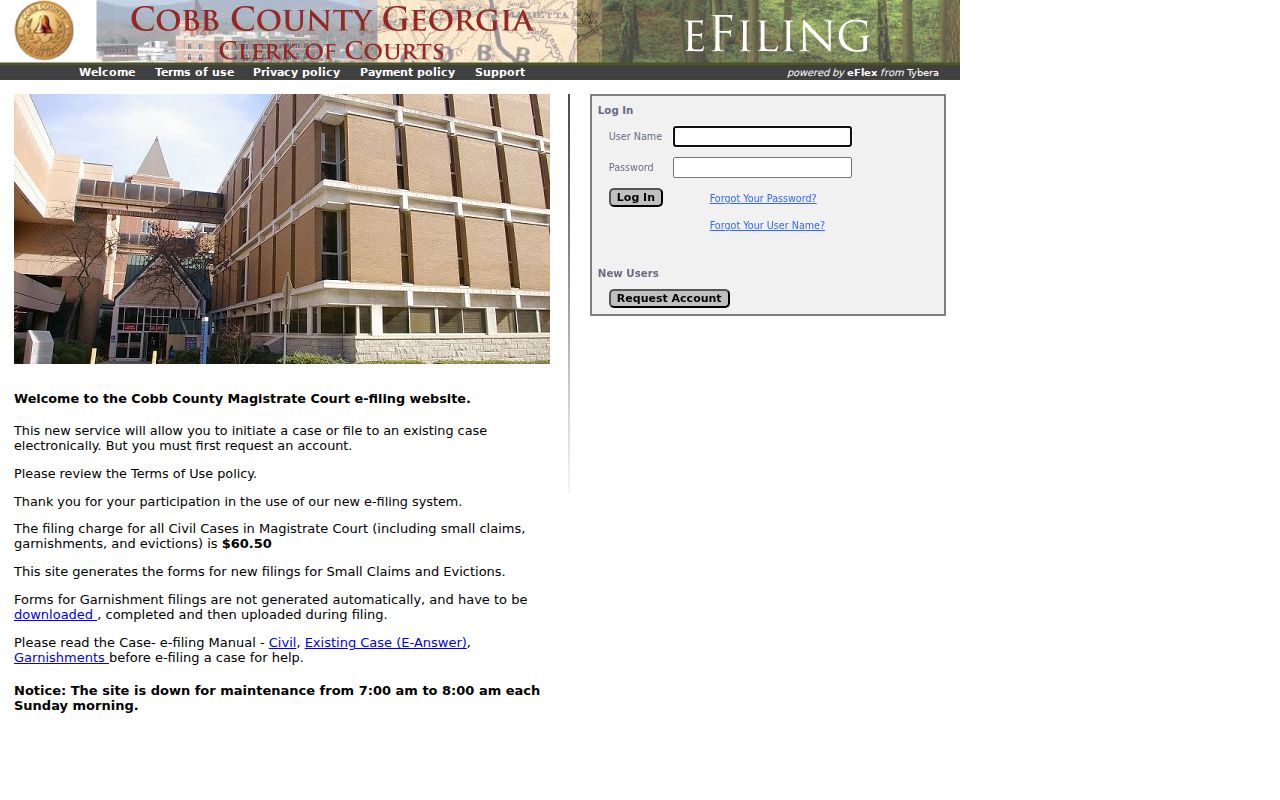
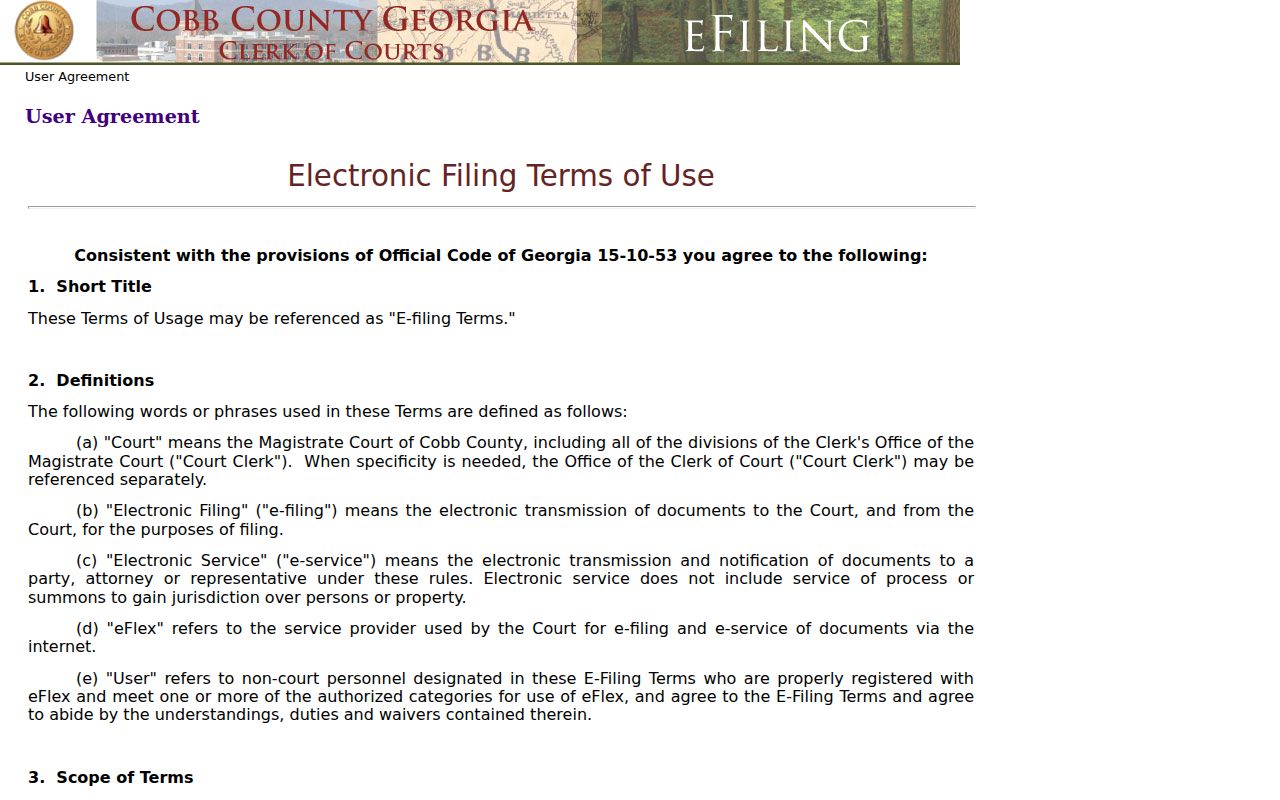
Magistrate eFlex is Cobb County's electronic filing system, not a general-purpose case lookup. The public page lands on a login screen with a new-user path beside it. Its user agreement spells out who counts as an authorized user, how filing timestamps work, what fees apply, and when a submission becomes the official file. It also notes where to get technical help. Registered pro se filers, attorneys, and approved agents may hold filing rights. An ordinary public docket search does not offer those.
The portal lists a $60.50 Magistrate civil filing charge. That figure is a filing fee only. It is not the amount claimed in the case. Nor is it the judgment or any balance showing on a court docket. For an existing case, the answer workflow may walk through the case number, category, document type, party selection, PDF upload, draft or next action, e-file action, history, and service list.
The Cobb Magistrate eFlex login page shows the account layer a visitor hits first.
The agreement screen supplies the filing terms and timestamp context:
Think of the two tools as serving different jobs. Judicial Records Search covers the public Magistrate docket in Cobb County. eFlex handles authorized filings and submissions on existing cases. A login screen is not proof that the court record itself is missing.
County vs Statewide Case Search
Georgia runs no single statewide public docket portal. Georgia Courts E-Access works as a provider directory, routing users to a county or vendor system. A separate e-file directory points to filing providers. Cobb County's State, Superior, Magistrate, Probate, Juvenile, and municipal channels all stay separate. The practical move: use a statewide router to find the provider. Then go to the local court's docket search and clerk.
| Need | County route | State or federal overlay |
|---|---|---|
| State civil, traffic, misdemeanor | Cobb CourtConnect and State Court Clerk. | Georgia E-Access may route to Cobb; it does not search the record itself. |
| Superior civil or criminal | Superior Web Case Management, calendars, public terminal, or Clerk. | Georgia e-file directory may show a provider, but the docket remains with Superior. |
| Magistrate | Judicial Records Search, Clerk counter, or eFlex for authorized filing. | Statewide directory does not merge Magistrate results with State Court. |
| Federal district, bankruptcy, appeal | Not a Cobb county-portal record. | PACER, CM/ECF, or the federal court’s case-information route. |
A ticket written by a city officer belongs to that city's court, not the county system. The Georgia traffic-ticket locator can point you toward the right tribunal, though it does not guarantee every Cobb citation ends up in State Court. Sometimes a city case transfers later and picks up a county case number along the way.
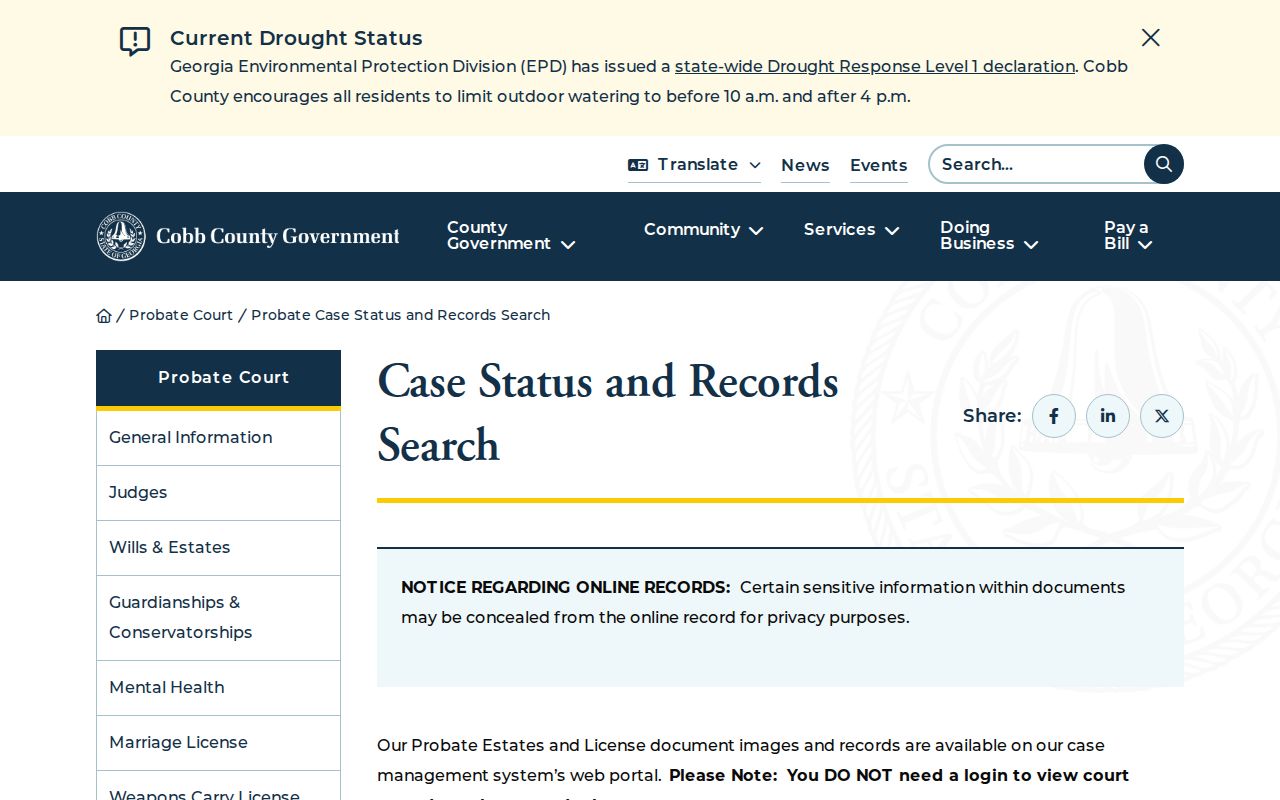
Cobb County Probate Case Search
Probate Court runs its own search. It covers estates, wills, guardianships, conservatorships, and marriage and weapons licenses. No login is needed. The docket view hides sensitive details by design. You can reach records by estate or license image type, or by index and filing year. The index currently runs through 2025 and the first quarter of 2026. That makes Probate a different animal from State Court or Superior Web Case Management. Expect different access rules. If an image will not load, the field may be concealed or the record may need a special request. A missing image is not proof the case does not exist. The Probate counter sits at 32 Waddell Street, and the phone number is 770-528-1900. The Cobb Probate case-status and records search shows what this official portal offers.
Send it to the right office. Probate holds the will, estate, license, and guardianship records for Cobb County. The State Court Clerk cannot process those requests, even though both courts share the same county system.
Restricted Cases and Access Rules
Not every court record shows up in a public case lookup. A judge can seal a case or a filing by order. Protected identifiers get redacted. Juvenile dependency, delinquency, unruly, and juvenile-traffic records carry their own confidentiality rules. Specialty court treatment or assessment details can stay limited even when the tied Superior or State case is open to view.
When a document is missing, say it plainly. Not displayed in the public portal, restricted status not resolved from the public view, or request through the named Clerk. Look for a sealing or protective notation first. Then ask the Clerk about the access or copy process. A broken link does not mean a seal exists. Party addresses, birth years, and other private values should never be copied into your notes.
For a file a docket search alone cannot produce, the Cobb County court record search lays out copy, certification, and Open Records fallback routes.
Cobb County Federal Case Searches
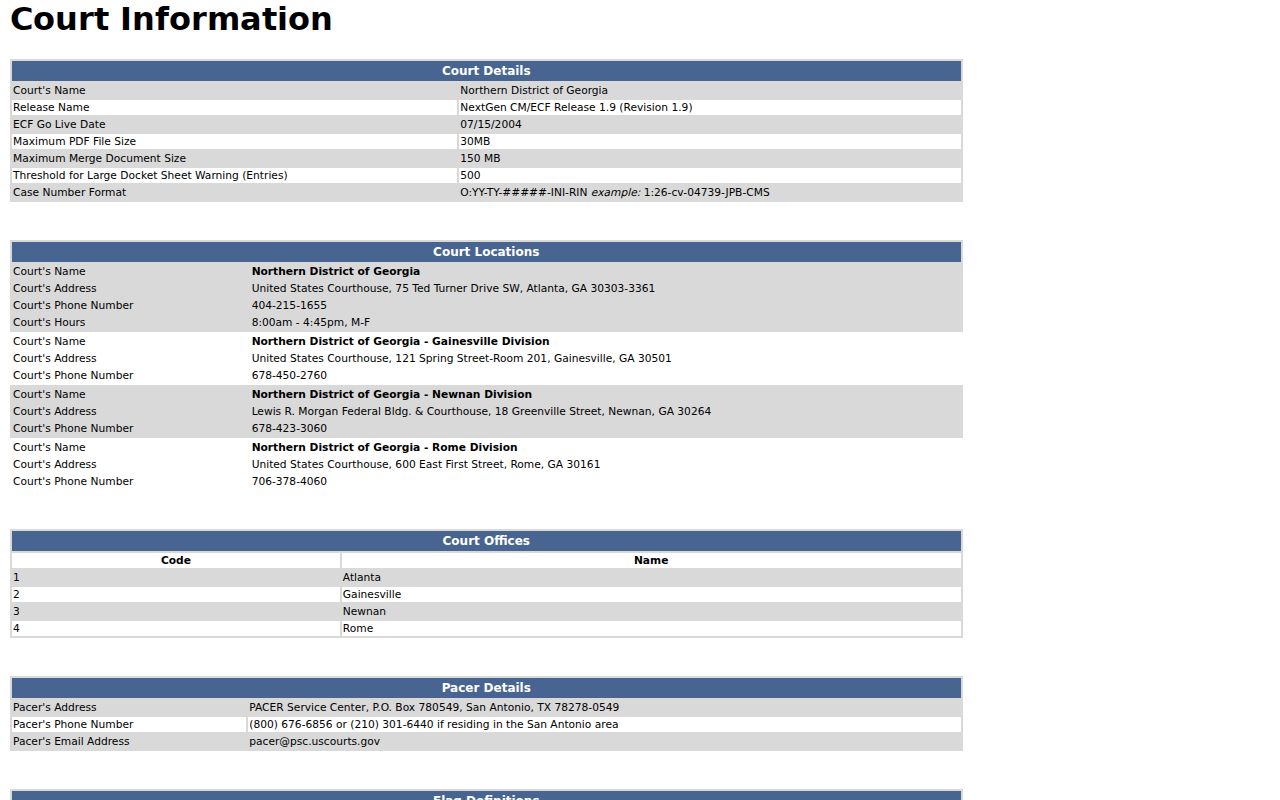
A case filed in federal court never shows up in CourtConnect, Superior Web Case Management, or a city vendor portal. Cobb County sits in the Atlanta Division of the U.S. District Court for the Northern District of Georgia. That is a separate system entirely. Federal case numbers follow their own pattern, and one can look like 1:26-cv-04546-VMC-LRS. For the public, PACER offers an account and a docket search across federal cases, while CM/ECF stays reserved for lawyers and other authorized filers submitting paperwork.
The federal court's own information page lays out the local CM/ECF details, the division's coverage, its hours, and how case numbers are built:
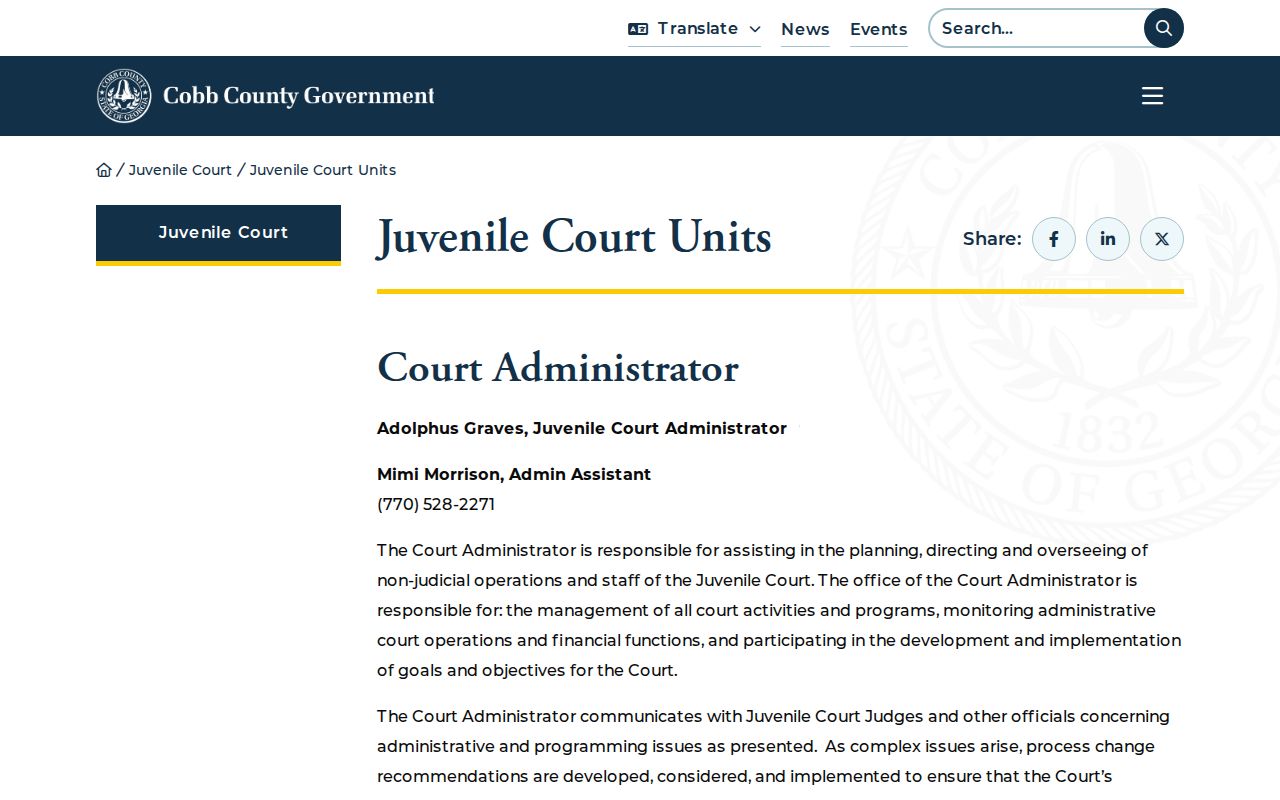
Juvenile records sit apart. In Cobb County, the Juvenile Clerk keeps dependency, delinquency, unruly, and juvenile-traffic files. Attorneys of record who file an Entry of Appearance get pointed to a controlled document channel. That path serves counsel, not a public name search.
The Cobb Juvenile Court records unit page shows why normal docket lookup habits break down here:
Federal matters go to PACER or the court itself. A juvenile case follows the Juvenile Clerk's stated route. City tickets belong to the city court. Knowing the right office is half the case lookup.